Tuesday, April 30, 2013

Top 5 Google Sites SEO Mistakes

Intro
Can Google Sites have good SEO? How does Google Sites compare versus Wordpress? Can Google Sites get good page rank?

I hear these questions all the time from potential clients and existing customers trying to climb up the highly competitive ladder to page one search engine rankings.

Here's the answers: yes, as good, yes.

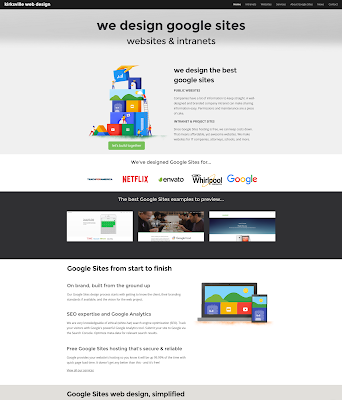
Proof: Search for "Google Sites Designer" what comes up? My website www.kirksvillewebdesign.com  It's a Google Site and it's always on page one search results. Google Sites doesn't have an SEO handicap, but there are pitfalls to avoid with any SEO.


Matt Cutts' Top Five SEO Mistakes

If you haven't seen the video check it out here, or play it below.


All these apply to Google Sites, so take note:

Problem #1 : My Google Sites isn't on Google.
Solution: Make sure your website is mapped to a custom domain like www.example.com. Also, make sure you have submitted your site to Google through Webmaster Tools.

Problem #2 : My Google Site doesn't rank well.
Solution: Write good copy that reflects how people search. Don’t just write, “Mt. Everest Height” but write, “How high is Mt. Everest?” because that is how people search.

Problem #3 : My target audience isn't finding my Google Site.
Solution: Random link building won't help you funnel customers to your website. Have a marketing strategy that uses unique, compelling content and social media. Reach out to your audience in their habitat through real-life and digital campaigns.

Problem #4 : My pages aren't optimized. How do I effectively title and describe my pages?
Solution: Give your whole website a good, well-fitting title and description. Remember, the Site Title is a good sentence. The Site Description is a good paragraph. And give your most important pages a Page Description, seen in More > Page Settings.

Problem #5 : I don't know what I'm doing for SEO and where to start.
Solution: Start watching Matt Cutts' videos and sign up for Google Webmaster Tools. SEO isn't rocket science nowadays. Awesome relevant content will float to the top eventually. 

Thanks for tuning in!

Friday, April 12, 2013

Free Google Apps Icon Pack

Enjoy this free Google Apps icon pack by +Kirksville Web Design


Google has a unique style for their icons that I very much admire. Cute little shadows and simplicity make them fun to recreate. Download the complete Google Apps Icon package. Let me know if I missed one you want. +Kyle Horst


What's included:

  • Google Drive Icon (256px PNG, PDF, SVG Inkscape)
  • Gmail Icon (256px PNG, PDF, SVG Inkscape)
  • Google Calendar Icon (256px PNG, PDF, SVG Inkscape)
  • Google Contacts Icon (256px PNG, PDF, SVG Inkscape)
  • Google Plus Hangout Icon (256px PNG, PDF, SVG Inkscape)
  • Google Sites Icon (256px PNG, PDF, SVG Inkscape)
  • Google Vault Icon (256px PNG, PDF, SVG Inkscape)
  • Google Chrome Icon (256px PNG, PDF, SVG Inkscape)
  • Google Single Sign-On Icon (256px PNG, PDF, SVG Inkscape)
  • Google Chromebook Icon (256px PNG, PDF, SVG Inkscape)
  • Google Plus Icon (256px PNG, PDF, SVG Inkscape)


Tuesday, April 2, 2013

Goodbye Site Layout Page

The Change
Hello everyone, +Kyle Horst here with www.kirksvillewebdesign.com once again with a Google Sites Update!

Edit Site Layout, for several months, existed in two places: 
  • More > Manage Site > Site Layout
  • More > Edit Site Layout
Now it is only available in the More dropdown menu. Google did give us ample warning that the old Site Layout page was going away, so it surprises me that so many people are confused. Anyway, this post is to help everyone out.

Here was the original article on this feature:
http://www.googlesiteswebdesign.com/2012/08/new-feature-quick-site-layout.html

This is the only way to edit Site Layout now.


Friday, March 22, 2013

Google Sites Server Issues

I don't want this to sound like a really serious issue, but this is the best way I could word it. So, what's the scoop?

The Issue
Google Sites have been acting unreliable since 3/21 when images weren't loading from Google's servers. This affects everything from slideshows to the picture of your cat on your family website. Images are randomly showing up and disappearing with every refresh. It kind of a here and there bug, but it's annoying.

The Solution
Hope that this is some sort of internal update and will go away soon. =)

Conclusion
Just want to keep all you Google Sites fanboys updated.  Here's the Google Sites Help Forum thread: http://productforums.google.com/forum/#!category-topic/sites/E39Hd9YbkDI

Sunday, March 3, 2013

New! Add Google Drive Folder to Google Sites

Intro
Hey everybody! +Kyle Horst here with the information on this brand new feature!

This is a feature we've all been wanting and it has been described on the Google Sites Help forum many times - a link between Google Drive and Google Sites. Google Sites, while it has those file cabinet pages, isn't the best document management system available, especially next to the incredible set of features in Google Drive.

There was a nice solution developed by Google Apps Script guru +Romain Vialard , which worked perfectly using the List type page to show documents. It synced and everything, but it wasn't too convenient to setup. It's a bit ironic that not until we've developed some solution ourselves that the Google Sites team swoops in and mimics the same idea.

Anyways, let's learn about the new feature - Add Google Drive Folder to Google Sites.


How to Add a Google Drive Folder to Google Sites
To find the feature go to:

  1. Edit Page Mode
  2. Insert from Toolbar
  3. Folder (it's in the second column in the middle area)
  4. Select one Folder from your Google Drive Account
  5. Change gadget dimensions and save to the page.

What does it do?
  • You can embed one Google Drive folder
  • The Folder has the same permissions as granted in Google Drive, so make sure and check your Share settings at the folder level
  • Visitors who don't have permission to the folder will be prompted to Request Access.
  • You can add descriptions to your documents from Google Drive so that people have a better idea of what a document is about. Select document and click More > Details > Add your Description.
What doesn't it have?
  • Capability to embed multiple folders or create a directory of folders to sort through
  • No search function
What are the benefits?
This feature is a big win for intranets. Companies don't want to have to choose between hosting their documents on Google Sites File Cabinets or Google Drive Folders. I think we'll see a lot more usage of Google Drive folders now, especially because of the permissions options.

Just think, you could embed several folders on one page and setup your permissions for each folder so that Team Members only see what applies to them.


Embedded in the Page
The Selection Screen

Close up. It shows other folders, which will open in Drive when clicked.

Thanks to +Phil Ridout for picking up on this completely unannounced feature! I totally missed it in all the other Insert gadgets.


Friday, February 15, 2013

Google Sites Training Videos

The New Website:
www.googlesitestraining.com


The Purpose:Provide quick and informative video tutorials for using Google Sites to a broad audience of company end-users, small businesses and inquisitive individuals.

The Approach:
Short & Fast paced - we keep our videos under 5 minutes to ensure your attention span isn't taxed and that viewers walk away with the information they need.

One of Our New Videos:


Monday, February 11, 2013

Google Sites Updates Incoming

It's been a historical fact that when Google Sites gets some updates or upgrades, it starts acting a little funny. That's why I'm here to give you a bug report and note some changes occurring.

Bug Report

Before today, you could add "spacers" into the horizontal navigation bar by Adding a URL, Hitting Space Bar for the Title, and putting a URL in the Web Address Field. No link would be visible or Link Title, but it would add some space between two normal links.

Now, if your Link Title has just spaces, it will display the Link URL you put in. Therefore, you can't reasonably space out your links with this method anymore.

So far it is not retro-active, affecting your existing spacers.


Update Report
Site Search Configuration has moved. It used to be located in Site Layout and, perhaps in line with Edit Site Layout changes, they have moved it to the General Settings Section.


Stay tuned for upcoming changes as they happen. I'll keep you updated! Thanks.


Related Posts Plugin for WordPress, Blogger...